
Download Harker – AI Voice Generator, Speech‑to‑Text, Free Online Dictation
Overview: Transform Your Typing Experience with Harker
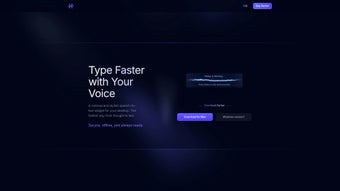
Harker is a web‑based AI voice generator that takes the hassle out of typing by turning spoken words into accurate, ready‑to‑use text. Built on state‑of‑the‑art speech‑recognition algorithms, this full‑version application belongs to the AI category, specifically focusing on voice generation and transcription. Whether you are a busy professional drafting reports, a student taking lecture notes, or a content creator brainstorming ideas, Harker provides a seamless, browser‑based interface that lets you dictate in real time and watch your words appear instantly on the screen.
What sets Harker apart from generic dictation tools is its dedication to accuracy across multiple languages and accents. The platform supports English, Spanish, French, German, Mandarin, and many more, while also recognizing regional variations such as British vs. American English or Southern vs. Mid‑western American accents. This multilingual capability means that teams spread across the globe can rely on a single solution without compromising on precision.
Beyond simple transcription, Harker offers a suite of customization options. Users can select from a library of synthetic voices, adjust speech rates, and even fine‑tune punctuation insertion rules to match personal or corporate style guides. The AI learns from your speech patterns over time, delivering increasingly accurate results the more you use it. All of these features are delivered through a secure, HTTPS‑encrypted connection, ensuring that your spoken data never leaves the browser without your consent.
Because Harker runs entirely in the cloud, there is no need for heavyweight installations or regular updates—everything is managed on the server side. This translates into a lightweight, fast experience that works on any modern device, from a desktop workstation to a smartphone. In short, Harker is designed to boost productivity, reduce typing fatigue, and free up mental bandwidth for the tasks that truly matter.
Key Features & Customization Options
- High‑accuracy speech‑to‑text conversion powered by deep‑learning models.
- Support for over 20 languages and dozens of regional accents.
- Real‑time transcription with immediate on‑screen display.
- Customizable synthetic voice library (male, female, neutral tones).
- Adjustable speech rate and punctuation rules for personalized output.
- Browser‑based interface – no downloads, no installations.
- Secure HTTPS connection with optional end‑to‑end encryption for sensitive data.
- Export options: copy to clipboard, download as .txt or .docx, or integrate with Google Docs.
- Keyboard shortcuts for start/stop dictation, pause, and insert line breaks.
- AI‑driven learning that adapts to your voice and vocabulary over time.
Each of these features has been crafted with user productivity in mind. The high‑accuracy engine reduces the need for manual correction, while the multilingual support eliminates the barrier of switching between separate tools for different languages. The ability to pick a voice that matches your brand or personal preference makes the dictation experience feel more natural and less mechanical.
Customization goes deeper than just voice selection. Harker’s settings panel lets you define how the AI handles common punctuation marks—whether a spoken “comma” inserts a comma, a line break, or nothing at all. This is especially useful for writers who prefer a stream‑of‑consciousness style versus those who need formal documents with precise punctuation.
Because the platform is web‑based, all updates and improvements are rolled out automatically. You never have to worry about downloading patches or dealing with compatibility issues; the latest AI models are always running on the server, delivering the best possible transcription quality.
Finally, the export capabilities mean you can seamlessly move your dictated text into any workflow—whether you’re writing a research paper, creating a blog post, or populating a CRM entry. Harker acts as a universal bridge between your voice and the digital world.
Installation, Usage & Compatibility
Getting Started – No Installation Required
One of Harker’s strongest selling points is its zero‑install nature. To begin, simply navigate to the official Harker website using any modern browser—Chrome, Firefox, Edge, Safari, or Opera. The homepage presents a clean, distraction‑free dashboard with a large “Start Dictation” button. Clicking this button triggers a permission request for microphone access; once granted, you’re ready to speak.
Because the service runs in the cloud, the only system requirement is a stable internet connection and a functional microphone (built‑in or external). For mobile users, Harker works flawlessly on Android and iOS browsers, adapting the UI for touch input while preserving the full feature set.
Step‑by‑Step Usage Guide
- Grant Microphone Access: Your browser will ask for permission; allow it to enable speech capture.
- Select Language & Accent: Use the dropdown menu to choose your preferred language and regional accent.
- Choose Voice & Speed: In the settings panel, pick a synthetic voice and adjust the speech rate to match your speaking tempo.
- Start Dictating: Press the “Start” button or hit the assigned keyboard shortcut (Ctrl + D). Speak naturally; Harker will display the transcribed text in real time.
- Edit & Format: Use standard editing shortcuts (Ctrl + Z for undo, Ctrl + B for bold) to polish the text as needed.
- Export or Copy: Click “Export” to download a .txt or .docx file, or simply copy the content to your clipboard for pasting into other applications.
Compatibility Across Devices
Since Harker is a web application, it is inherently cross‑platform. It runs on:
- Windows 10, 11 and later
- macOS Ventura, Monterey, and earlier versions with a modern browser
- Linux distributions (Ubuntu, Fedora, Debian) via Chrome or Firefox
- Android 8.0+ (Chrome, Firefox, Edge browsers)
- iOS 13+ (Safari, Chrome)
The responsive design ensures that the layout adapts to various screen sizes, from 13‑inch laptop displays to 6‑inch smartphone screens. Performance remains smooth thanks to lightweight client‑side scripts and server‑side processing, so you’ll experience minimal latency even on modest hardware.
Pros, Cons & Frequently Asked Questions
Pros
- High transcription accuracy thanks to advanced AI models.
- Zero‑install, browser‑based access on any device.
- Extensive language and accent support.
- Customizable voice library and speech‑rate options.
- Secure HTTPS connection with optional encryption.
- Automatic updates—always using the latest AI improvements.
- Export to multiple file formats for seamless workflow integration.
Cons
- Requires an active internet connection; offline use is not available.
- Free tier may have a daily usage limit for high‑volume users.
- Advanced customization (e.g., custom vocabularies) is limited to paid plans.
- Performance can vary with low‑bandwidth connections.
FAQ – Your Questions Answered
Is Harker really free to use?
Harker offers a robust free tier that includes unlimited dictation for personal use. Premium features such as higher daily limits, custom voice packs, and priority processing are available through a subscription plan.
How secure is my spoken data?
All audio streams are encrypted via HTTPS, and Harker does not store raw recordings unless you explicitly enable the optional cloud‑save feature. For highly confidential material, you can activate end‑to‑end encryption, ensuring only you can access the transcribed text.
Can I use Harker on a mobile device?
Absolutely. Harker’s responsive web design works on Android and iOS browsers. The same dictation controls are available, and you can export results directly to cloud storage apps like Google Drive or iCloud.
What languages are supported?
Harker currently supports more than 20 languages, including English, Spanish, French, German, Mandarin, Japanese, Korean, Portuguese, Italian, Dutch, Russian, Arabic, and many regional dialects. The list is continuously expanding as new models are trained.
How does Harker handle background noise?
The AI includes built‑in noise‑cancellation filters that isolate speech from ambient sounds. While it performs best in a relatively quiet environment, you can further improve accuracy by using a dedicated headset or external microphone.
Conclusion & Call to Action
In a world where time is the most valuable commodity, Harker offers a practical, AI‑driven solution to eliminate the friction of manual typing. Its cloud‑native architecture means you can start dictating within seconds, regardless of whether you’re on a Windows laptop, a macOS desktop, a Linux workstation, or a mobile device running Android or iOS. The blend of high‑accuracy transcription, extensive language support, and customizable voice settings makes Harker a versatile companion for professionals, students, writers, and anyone who wants to turn spoken ideas into written content instantly.
The free tier provides enough functionality for most everyday users, while the optional premium plan unlocks higher limits and advanced customization—ensuring the platform can grow alongside your needs. Security is baked in, with encrypted connections and optional end‑to‑end protection for sensitive information. Even though offline use isn’t currently supported, the reliable cloud infrastructure guarantees that you’re always working with the latest AI improvements without the hassle of manual updates.
If you’re ready to boost productivity, reduce typing fatigue, and enjoy the convenience of speaking your thoughts directly into text, download Harker now and experience the future of voice‑driven typing. Click the button below to start your free session, explore the settings, and see how quickly you can transform speech into polished documents.



.png)



